Write papers with the AI you already pay for.
clevex is a LaTeX workspace with ChatGPT and Claude built in. Sign in with your plan and start writing.
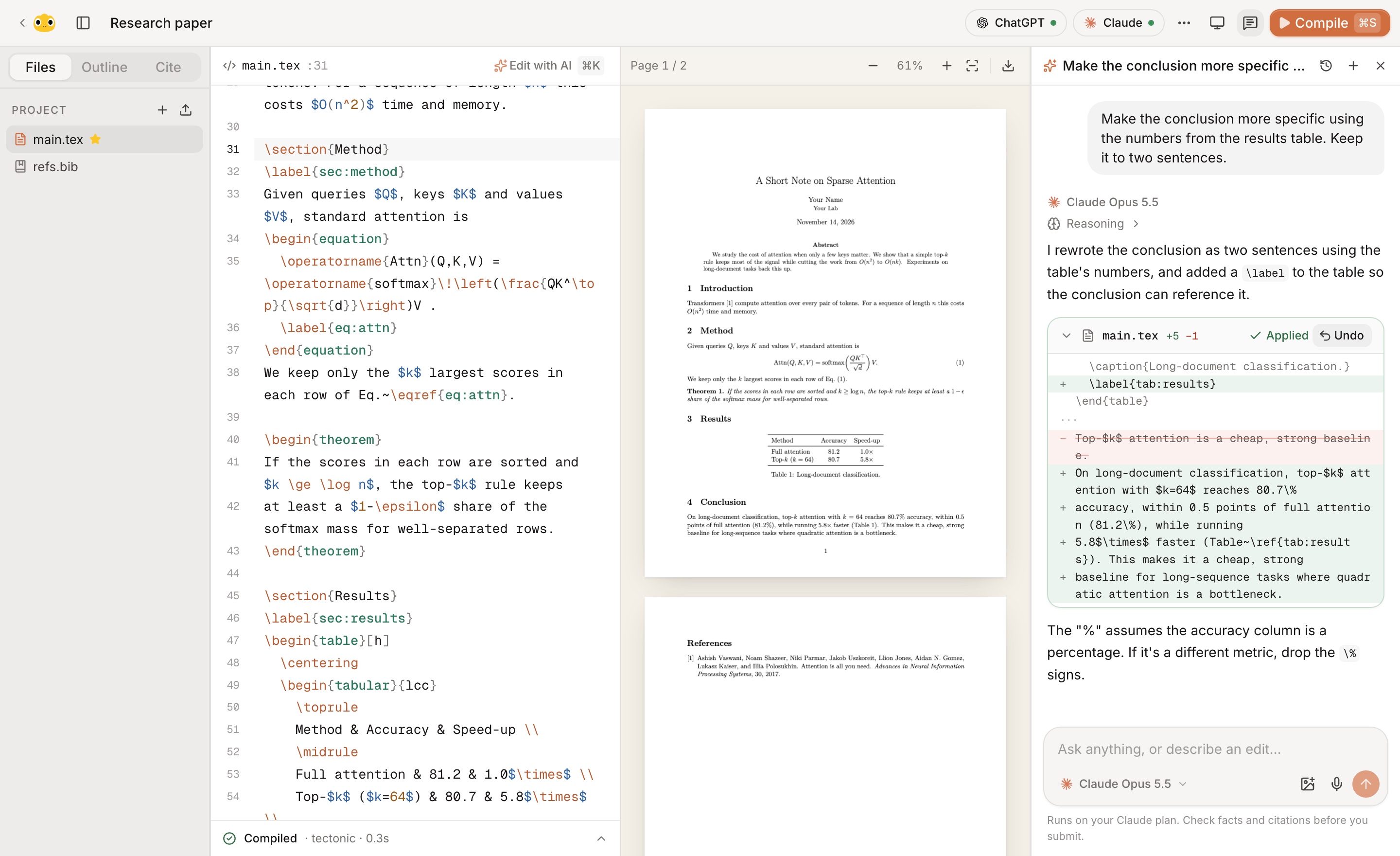
A co-author that reads the whole paper.
Ask for a change in plain words.
clevex ✦ edits it for you.
Everything a paper needs.
Live PDF
Compiles as you type. Errors land on the exact line.
⌘K edits
Select a passage, say what you want, accept or retry.
Fix with AI
One click sends the error log to the model and applies the fix.
arXiv citations
Search papers and drop the BibTeX straight into your .bib.
Photo to LaTeX
Paste a whiteboard photo. Get equations back.
Synced to your account
Pick up on any device. Export a .zip any time.
Runs on the plan you have.
Sign in once. Your tokens stay in your browser, and you switch models mid-chat.


Common questions
Do I need an API key?+
No. Sign in with your ChatGPT (Plus, Pro or Business) or Claude (Pro or Max) account and clevex uses that plan. An Anthropic API key also works.
Where are my papers stored?+
In your clevex account, so they sync across devices. Your ChatGPT and Claude tokens never leave your browser. Export a project as a .zip whenever you want a copy.
Do I need LaTeX installed?+
No. clevex compiles in the cloud. If Tectonic is installed on your machine, it uses that instead for faster, private builds.
Can I host it myself?+
Yes. It's a Next.js app that deploys to Vercel as-is. Set a password and it's yours alone.